To upgrade firmware and OTA kindly follow the below steps.
To upgrade firmware
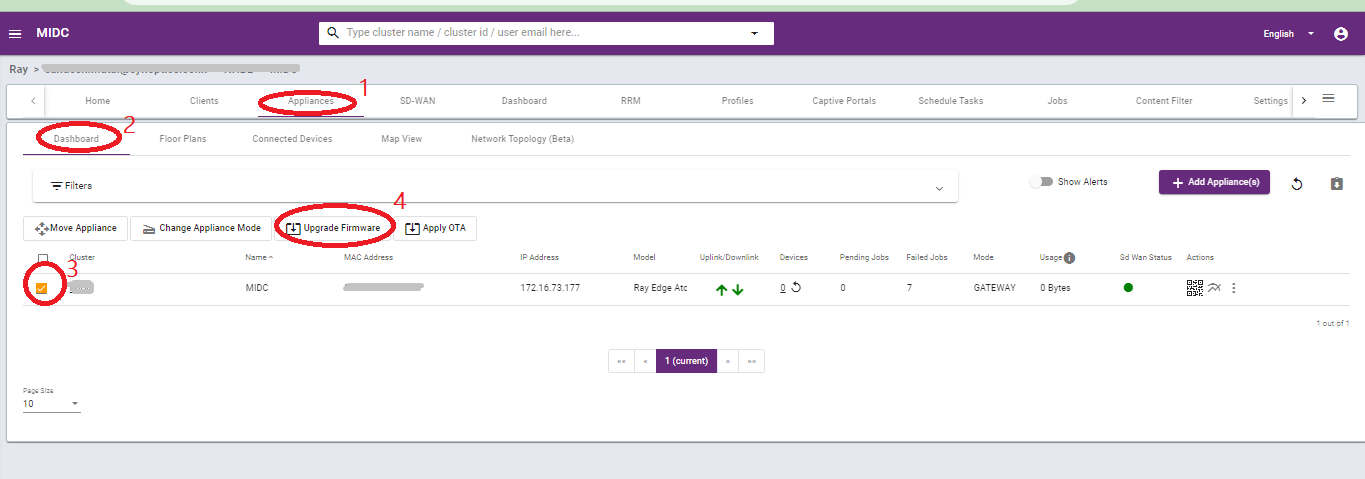
1. Goto Appliances
2. Then click on the Dashboard on the sub-menu bar.
3. Select the appliances that you want to upgrade using the check box.
4. After clicking on the check box a pop-up will open below the filter bar.
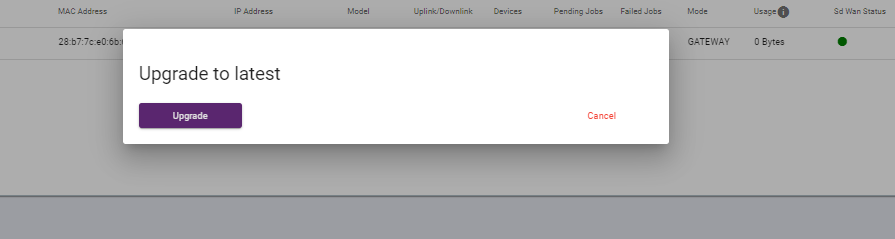
5. Click on the Upgrade firmware. See the below images as a reference.
To upgrade OTA
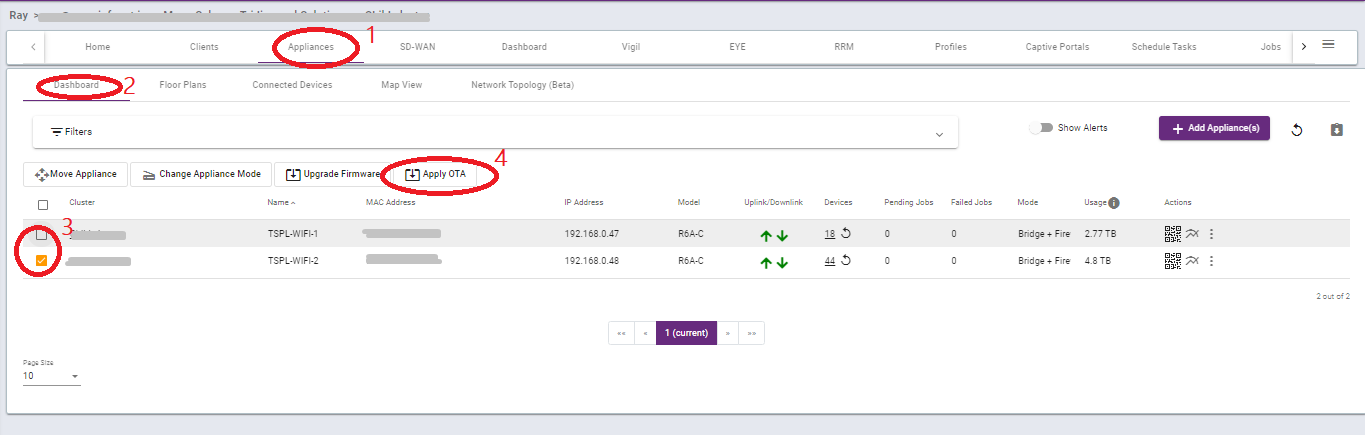
1. Goto Appliances
2. Then click on the Dashboard on the sub-menu bar.
3. Select the appliances that you want to upgrade using the check box.
4. After clicking on the check box a pop-up will open below the filter bar.
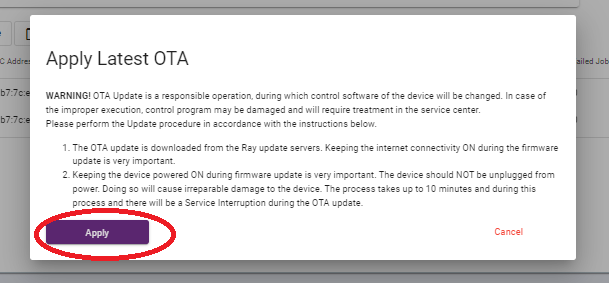
5. Click on the Apply OTA. See the below images as a reference.
Thank you,
Ray support Team