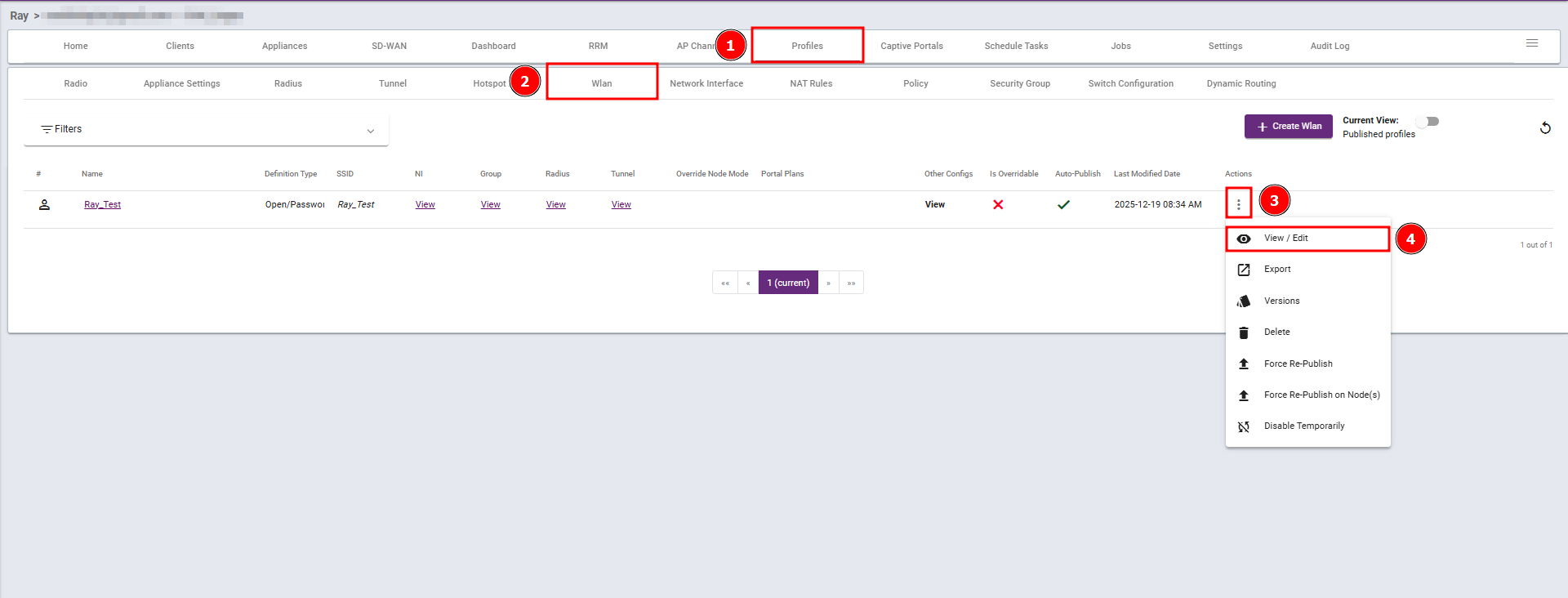
Steps 1: Navigate to the Profiles section, select Wlan, then click View/Edit.
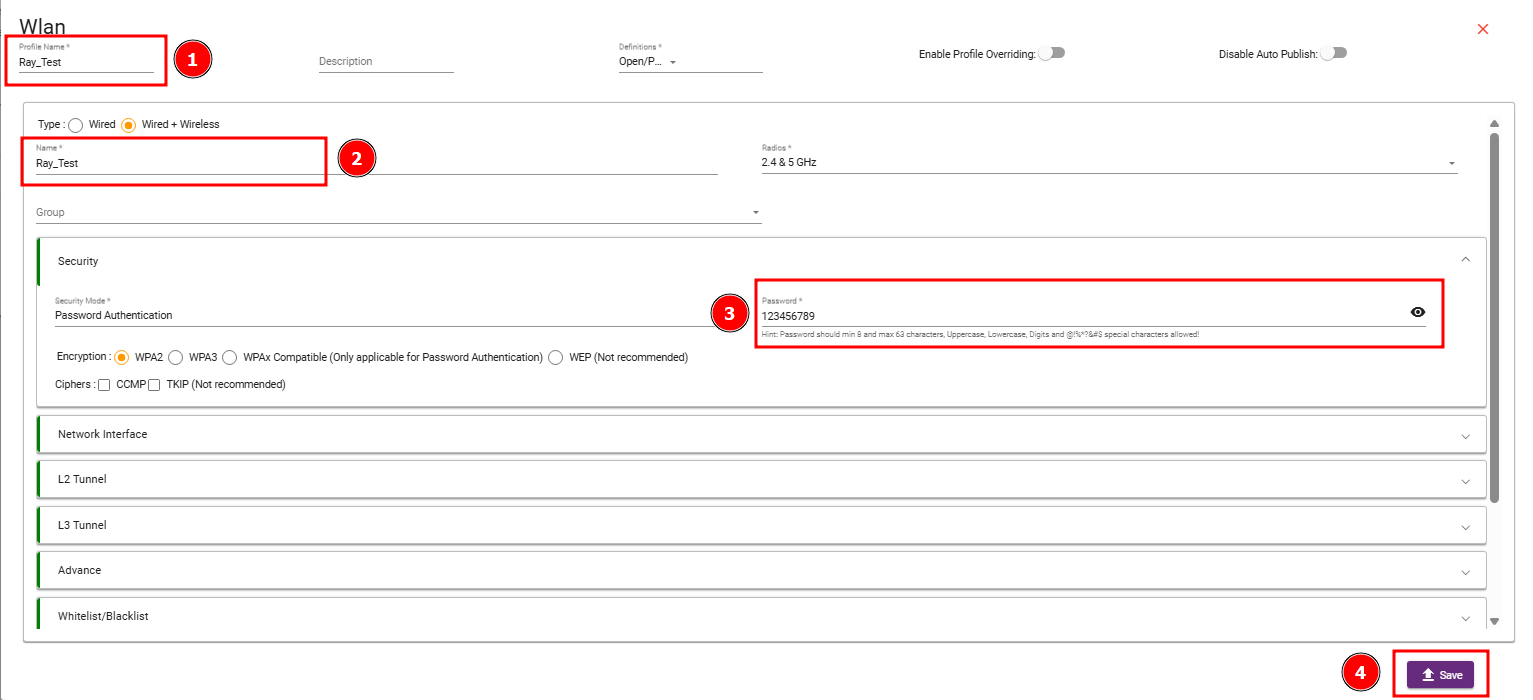
Steps 2: In Profile Name (1) and Name (2) enter the SSID name. Then, enter the password (3) as required and Save (4) the changes.

Modified on: Tue, 3 Feb, 2026 at 6:40 PM
Steps 1: Navigate to the Profiles section, select Wlan, then click View/Edit.
Steps 2: In Profile Name (1) and Name (2) enter the SSID name. Then, enter the password (3) as required and Save (4) the changes.
Did you find it helpful? Yes No
Send feedback