
This section will provide you with valuable network data and performance metrics that help in decision-making related to optimization, security, troubleshooting, and planning.
Steps 1 : Go to the Dashboard and select Insights.
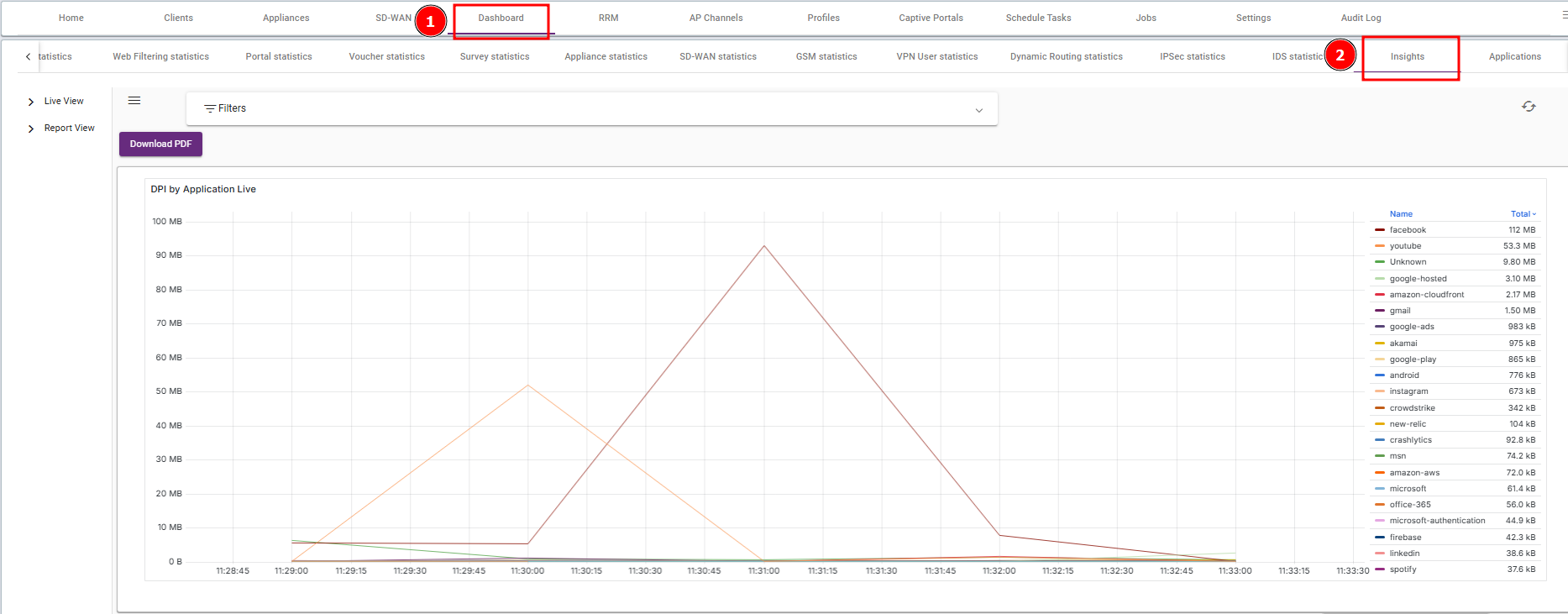
Steps 2 : Go to the Live view and select Flows.
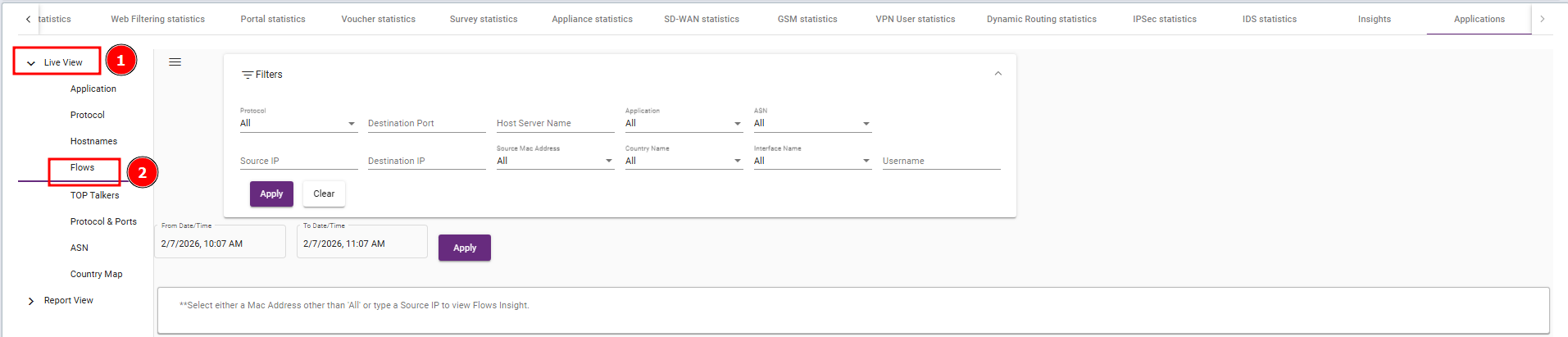
- Protocol: Select the network protocol to filter (e.g., TCP, UDP).
- Destination Port: Filter data by destination ports (e.g., port 80 for HTTP).
- Host Server Name: Choose specific host server names to filter traffic related to that host.
- Application: Filter data by specific applications being used (e.g., Skype, Zoom).
- ASN: Filter by the Autonomous System Number (ASN) associated with the source or destination IP address, helping you identify the organization or ISP behind the traffic.
- Source IP: Filter by the source IP address initiating the traffic.
- Destination IP: Filter by the destination IP address receiving the traffic.
- Source MAC Address: Choose to filter by the source device’s MAC address.
- Country Name: Filter by the geographic location (country) of the source or destination.
- Interface Name: Filter based on the interface name (e.g., eth0, wlan0).
- Username: Filter by the username associated with the network activity, helping to track user-specific traffic patterns or behavior.
Example of Source IP Filtering:
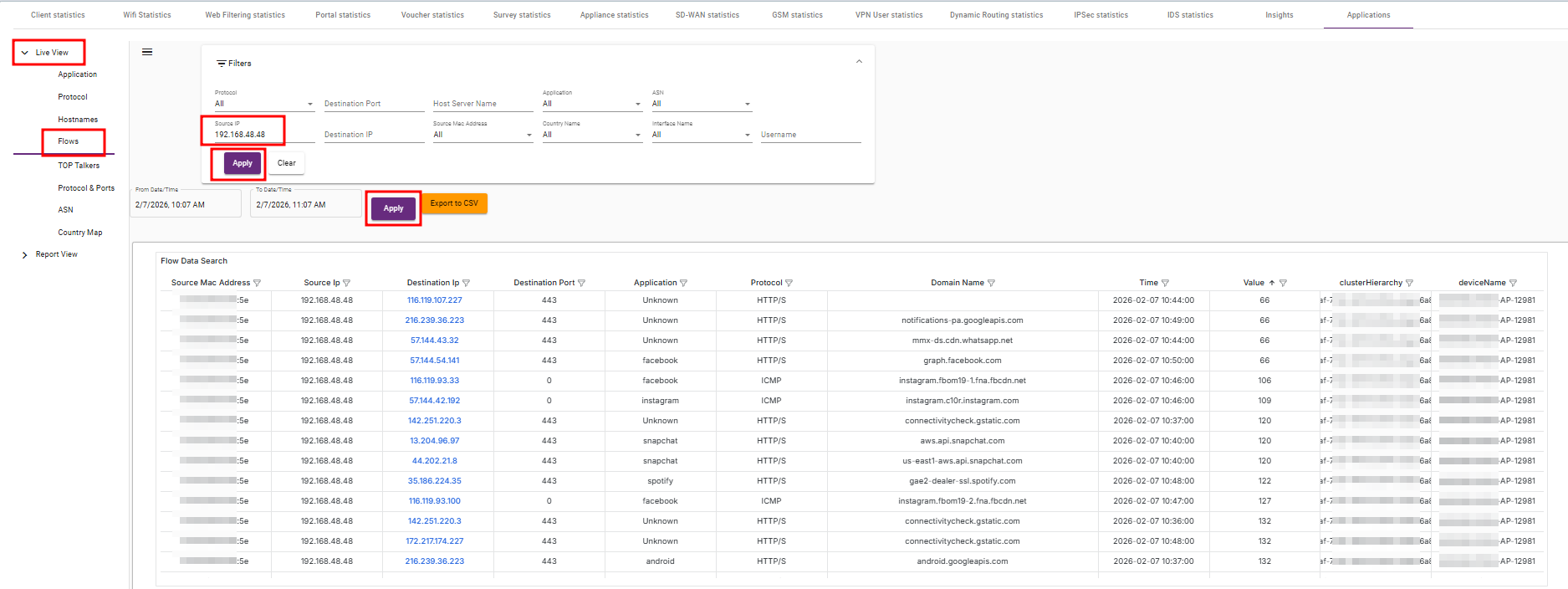
After selecting your desired filter criteria, the data will update accordingly.
- The filter will show you DPI (Deep Packet Inspection) data, which is used to analyze the content of network traffic.
DPI helps identify traffic based on applications, content types, and protocols, giving deeper insights into how the network is being used and where potential issues or security threats may exist.
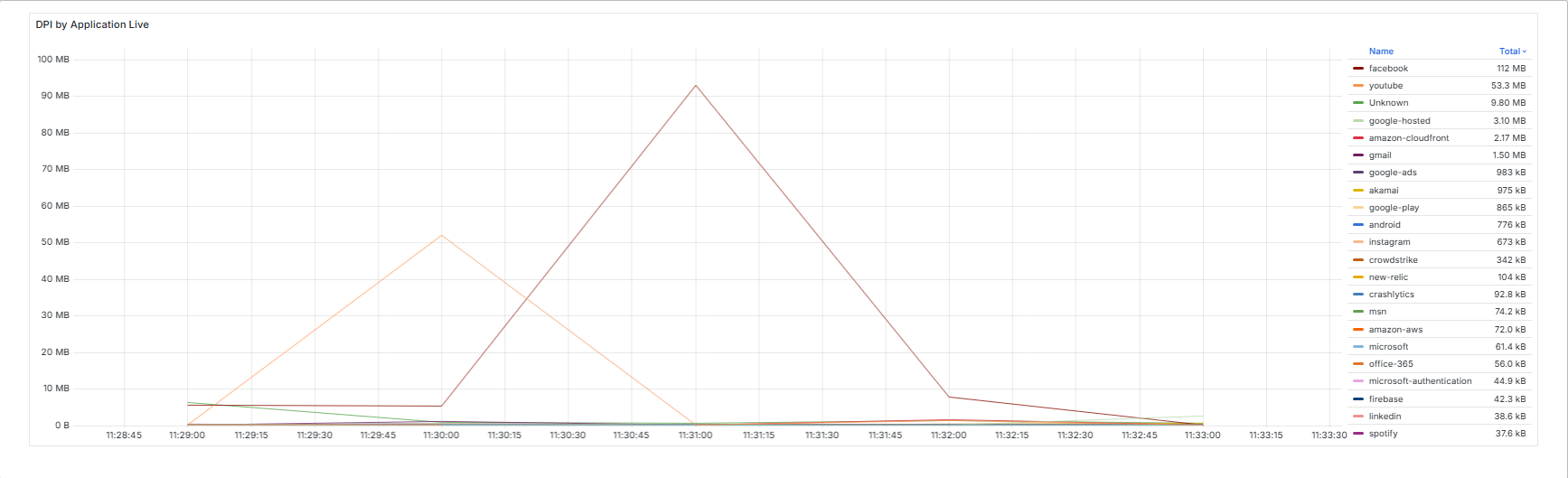
- After applying the filters and viewing the DPI data, you’ll gain insights into:
Network traffic patterns.
Application usage.
Potential security threats (e.g., blocking harmful traffic).
Network performance issues (e.g., bottlenecks or high latency).
The insights displayed will help with optimizing the network, securing it, troubleshooting performance issues, and planning for future needs.